Last Updated: January 27 2026
How to Review Conversions
Overview
Once you’ve converted marketing emails into paid work, review customer conversions to connect them directly to their marketing touch-points. See what results have been generated by Delight. From the conversions view, you may view the events leading up to the conversion, and exclude conversions from calculation.
Click the Conversion tab to review your Conversion Attribution.
 View Conversions
Each row in the conversions table represents a unique conversion, in the form of a Lead, Quote, Job, or Recurring Job that has been generated by Delight. You can search for specific conversions or apply filters to view a specific list. The following filter options are available:
- Date Range: By default this is set to the Last 30 days. To change the timeframe, click Last 30 Days and select a preset or click Custom Range to choose specific dates.
- Work Type: Select All, Leads, Quotes or Jobs to see emails that have converted into work at these different stages.
- Click Show Filters to Show Excluded Conversions.
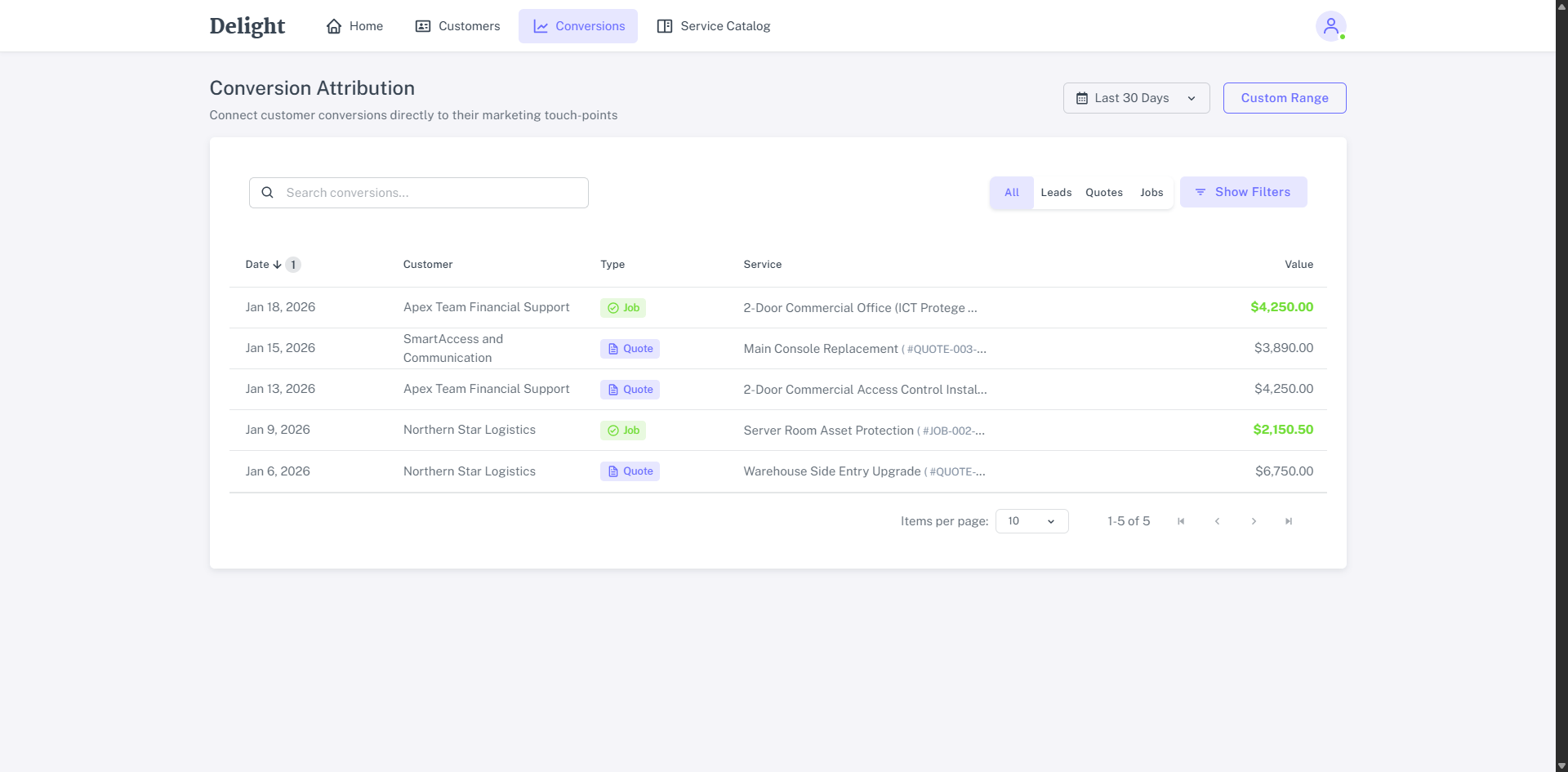
The Conversion Attribution table displays the Date, Customer, Type of work, Service and Value of each conversion.
Click a conversion to view:
- The customer’s most recent Leads, Quotes, and Jobs prior to the conversion.
- The period of time the customer was dormant prior to the conversion. This is measured by the absence of any created Leads, Quotes, or Jobs.
- The most recent email that was sent to the customer prior to the conversion, with indication of how many clicks, or opens the email received, if greater than one.