Last Updated: January 27 2026
How to Sign Up and Integrate with Delight
Overview
Sign-up for Delight, login and get it integrated with your Simpro Premium build and Website to start sending marketing emails.
 Sign-up to Delight
To get access to Delight, visit the Simpro website and book a demo or get in touch with our account management team.
Login and update Profile Settings
When you’ve successfully signed up to Delight, you should receive an email with your login credentials.
To login to Delight:
- Go to https://delightapp.dev/
- Enter your username and password.
To update your Profile:
- Go to the profile
 icon and click Profile, to set up your personal account details.
 - Click Upload New Photo to add a profile picture.
- Update your First Name, Last Name, Email, Phone Number, Language and Timezone as required.
- Enable a Daily Summary to stay updated with daily insights on customer engagement, conversions, and scheduled communications.
- Update your Password as required.
Integrate Delight with Simpro Premium
To integrate Delight with Simpro Premium and start generating emails Delight must be created as an API application in your Simpro Premium build. This will generate an API key Access Token that you can add to Delight to verify the integration.
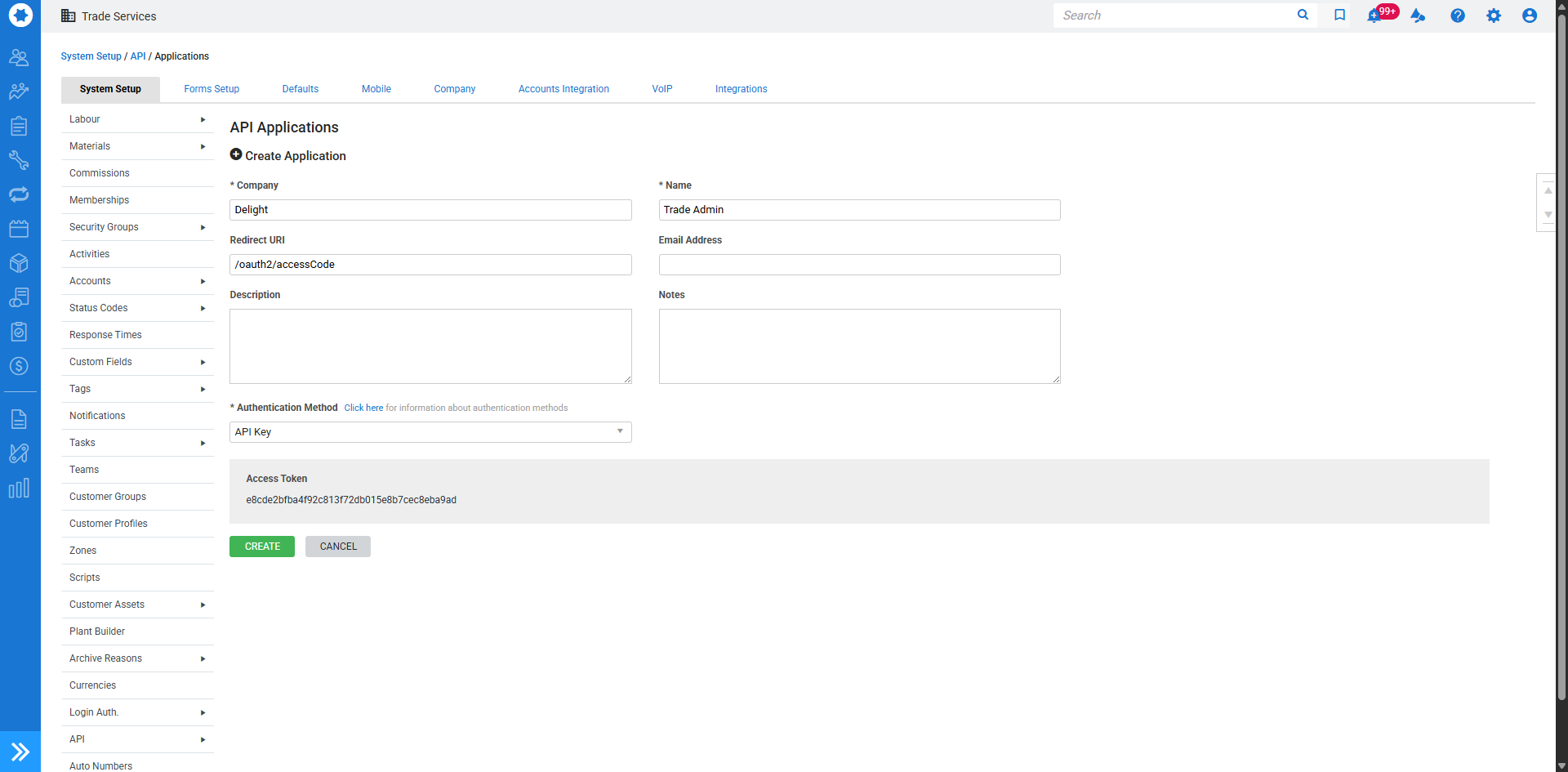
To add Delight as an API Application in Simpro Premium:
- In Simpro Premium, in the top right corner click Settings > Setup > System Setup.
- Hover over API and click Applications.
- Click Create Application.
- Under Company, enter Delight.
- Under Name, enter your own name for internal record.
- Under the Authentication Method, click Not Selected and choose the API Key option.
- Click Create.
- Copy your Access Token.
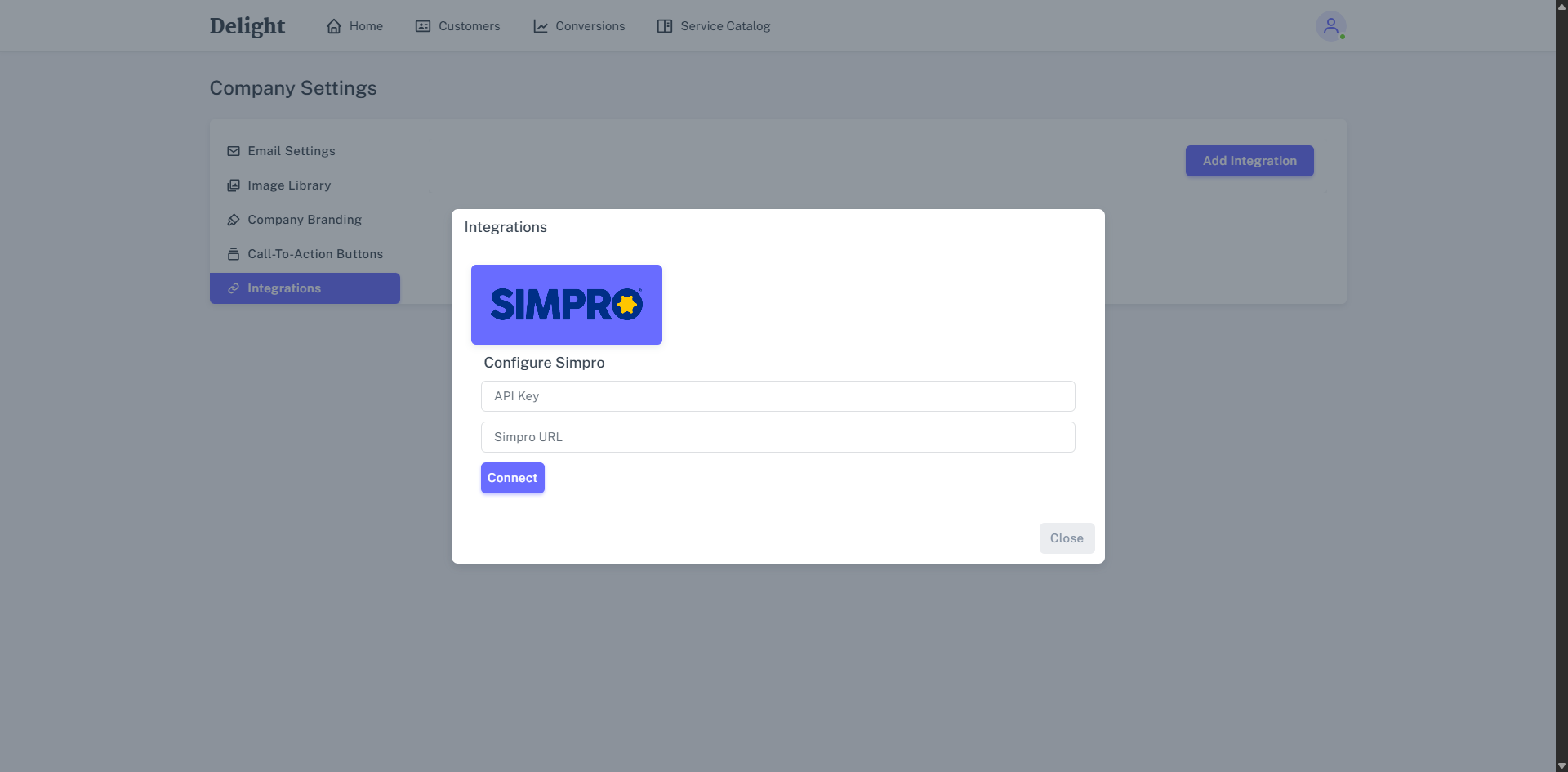
To connect Delight to Simpro Premium:
- In Delight, click the Profile icon > Company Settings > Integrations.
- Click Add Integration.
- Click Simpro.
- Enter your Access Token for your API Key and Simpro Premium URL.
- If using Multi-Company, select your company.
- Select the Company.
- Click Connect.