Last Updated: February 12 2026
Simpro Premium 26.1.3
What's new in Simpro Premium: from 8 February 2026 AEST
Form Builder: Align ‘Asset Attachment Images' horizontally
Provide an improved function regarding the appearance of Asset Attachment Images in Form Builder forms. Previously, attached asset images were displayed in a vertical stack. Now, asset attachment images can be displayed in a horizontal grid layout, allowing multiple images to appear per row, making forms easier to view and more visually organised.
This feature is available in the quote, job and invoice Form Builder Templates.
| Read the Help Guide |
|---|
Simpro Mobile Settings: ‘AI on Simpro Mobile’ permission option
A new permission, ‘AI on Simpro Mobile’ has been added under Settings > Setup > Mobile > General for enabling or disabling mobile AI. It provides customisation control over AI functionality in Simpro Mobile.
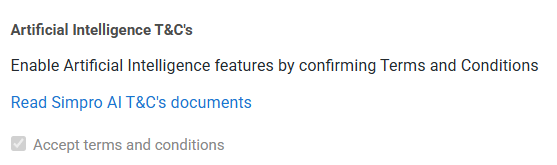
Before you enable the AI on Simpro Mobile permission, make sure the Artificial Intelligence T&C's has been accepted. Go to Settings > Setup > Company, select Accept terms and conditions at the bottom left of the page, and then click Save in the top right corner.
|
Get a sneak peek |
|---|
|
|
| Read the Help Guide |
|---|
Improvements
- Previously, under Schedules > Day/Week View, when opening any job card from scheduled jobs, the template form could not be added to the Select Attachments section by clicking Attach. Now all fixed.
- When creating a new quote or job from Schedules > Day View, the system default service fee was taking priority over the customer-configured general Service Fee, which did not follow the system hierarchy. All fixed.
- Under Schedules > Day View, when selecting a specific job stage using the radio buttons, the search results were not fully accurate. Now it has been fixed.
Learning Toolbox
Get up to speed by completing a quick learning material in Simpro's Learning Toolbox.