Last Updated: March 26 2026
Simpro Mobile 17.2
What's New in Simpro Mobile: from 26 March 2026 AEST
To the Minute Scheduling
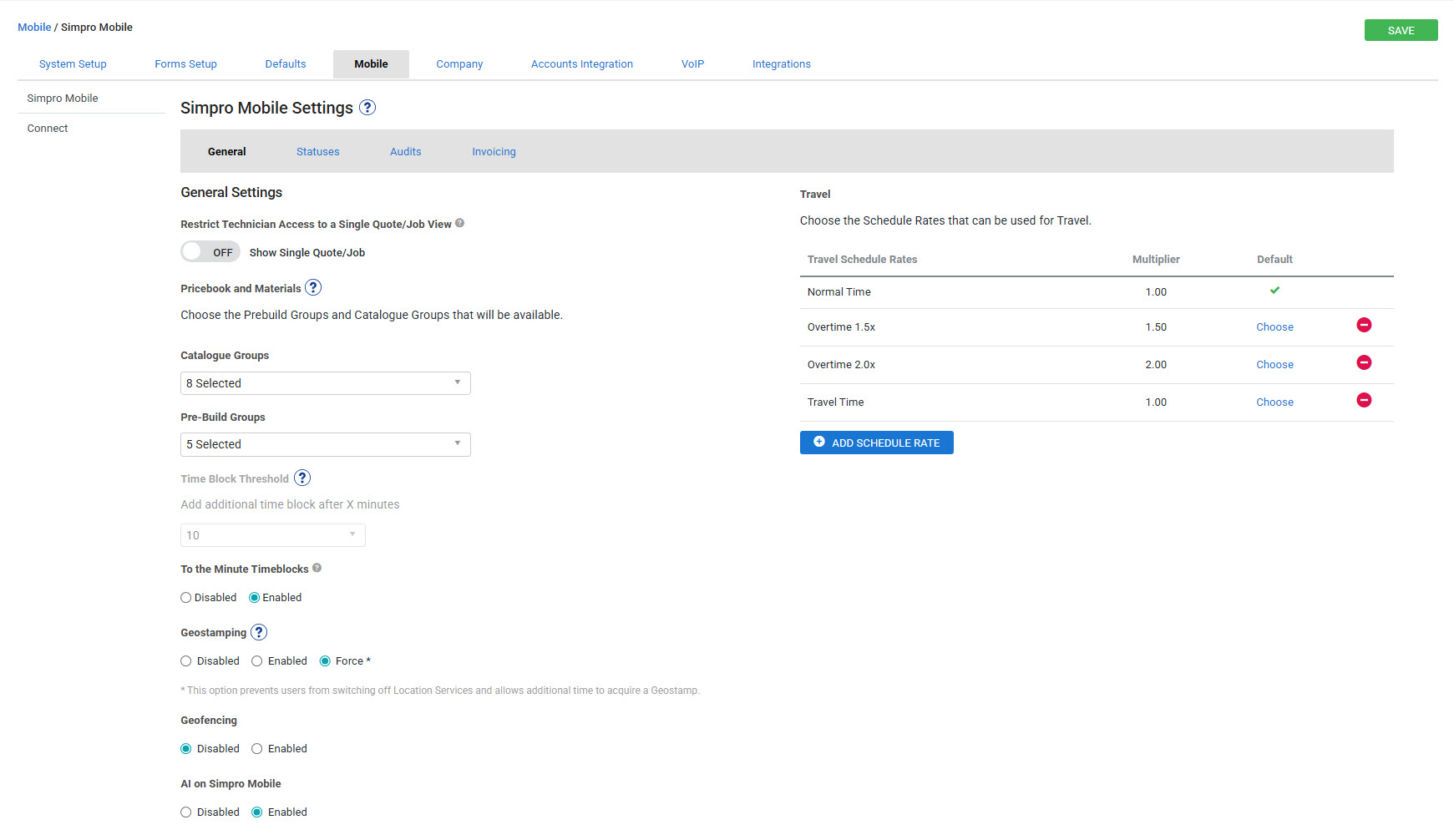
Previously you could only schedule in blocks of 15 or 30 minutes (based on your System Setup) - Users can now schedule and edit timeblocks to the exact minute. In the mobile settings, users with the relevant security permissions can enable or disable to the minute scheduling. If the setting is disabled, technicians are kept on the traditional 15/30 minute time blocks. If enabled, technicians can track and record time to the minute for more accurate time reporting.
To enable this, go to System > Setup > Mobile and select Enabled under To the Minute Timeblocks.
|
Get a sneak peek |
|---|
|
|
| Read the Help Guide |
|---|
Improvements
- Sometimes you were receiving an incorrect error message stating that you did not have an internet connection, even though the internet was connected. All fixed!